One agent across repositories, with setup included
Select explicit repository access, configure Git and coding-tool integrations automatically, and repair an existing checkout with nerudo doctor.
Scripted demonstration
An agent working across repositories should be able to use one explicitly scoped credential, then configure its checkout without assembling a set of tool-specific commands. Nerudo now connects those two steps: multi-repository access and automatic local setup, with doctor as the repair path.
These figures are controlled feature demonstrations. The web/native/Git/MCP run uses an isolated Worker, private fixture repositories and a synthetic signed-in identity. The CLI import uses synthetic selected grants; doctor separately verifies an existing live Nerudo key from an isolated checkout. No production agent was rotated or removed, and no coding-provider task or trust approval is claimed.
Choose the repositories explicitly
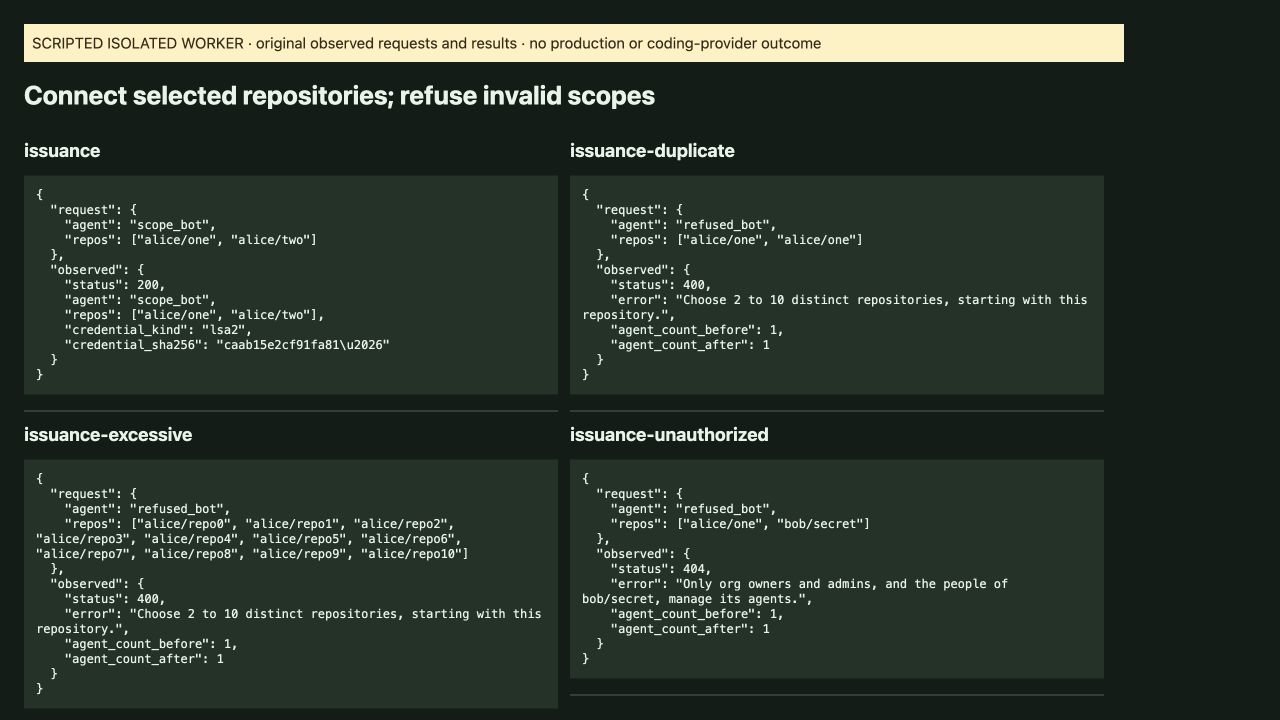
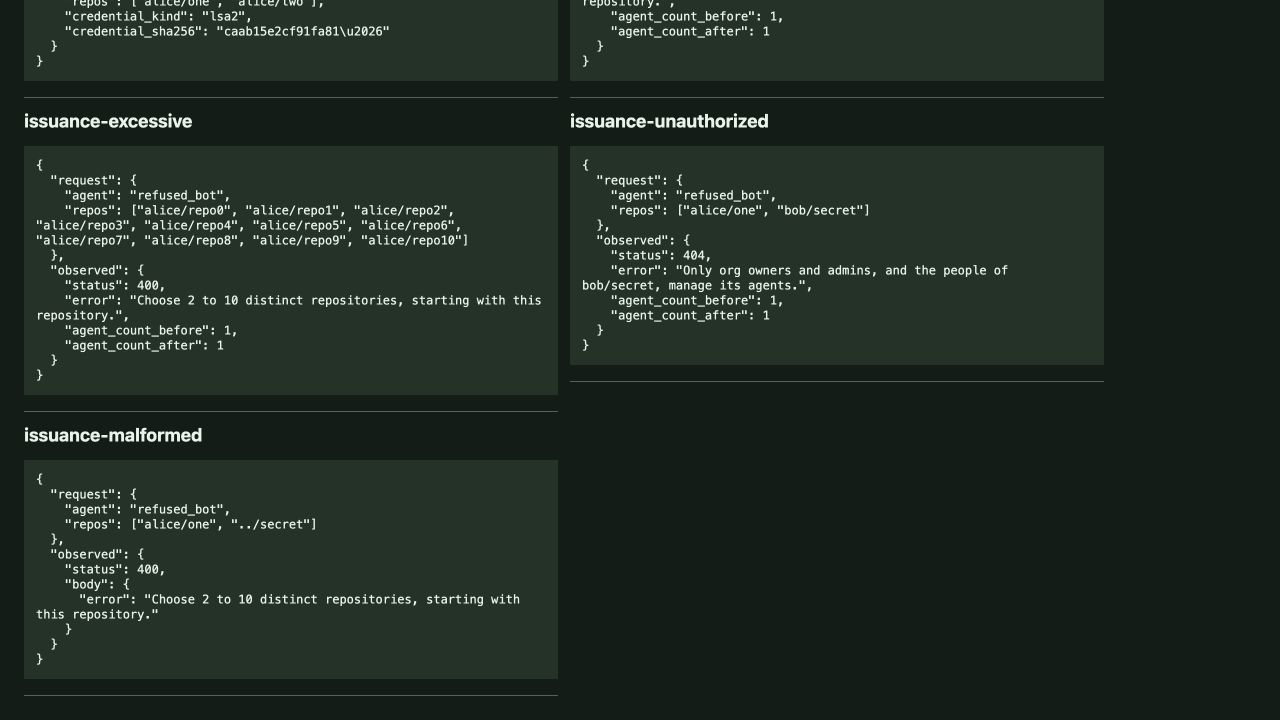
The isolated coordinator issued one lsa2 credential for alice/one and alice/two; duplicate, excessive, malformed and unauthorized repository lists were refused.
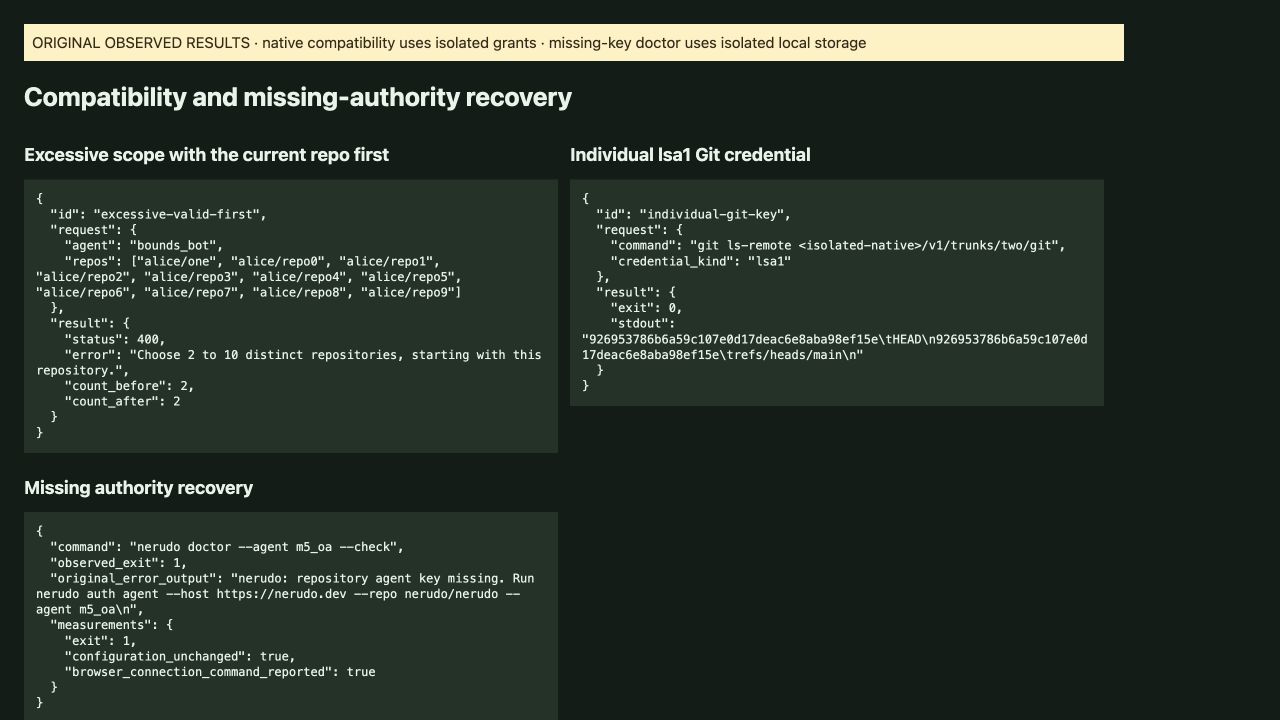
The request names its repositories. In this demonstration, the signed-in synthetic account could manage its two private repositories. Duplicate and eleven-repository requests returned 400; an unavailable unauthorized repository returned 404 without increasing the first repository’s agent count. Malformed repository text also returned 400. A separate eleven-repository request beginning with the current repository also returned 400 with an unchanged agent count. These are controlled native/runtime observations, not production permission grants.
Use the same credential for private Git access
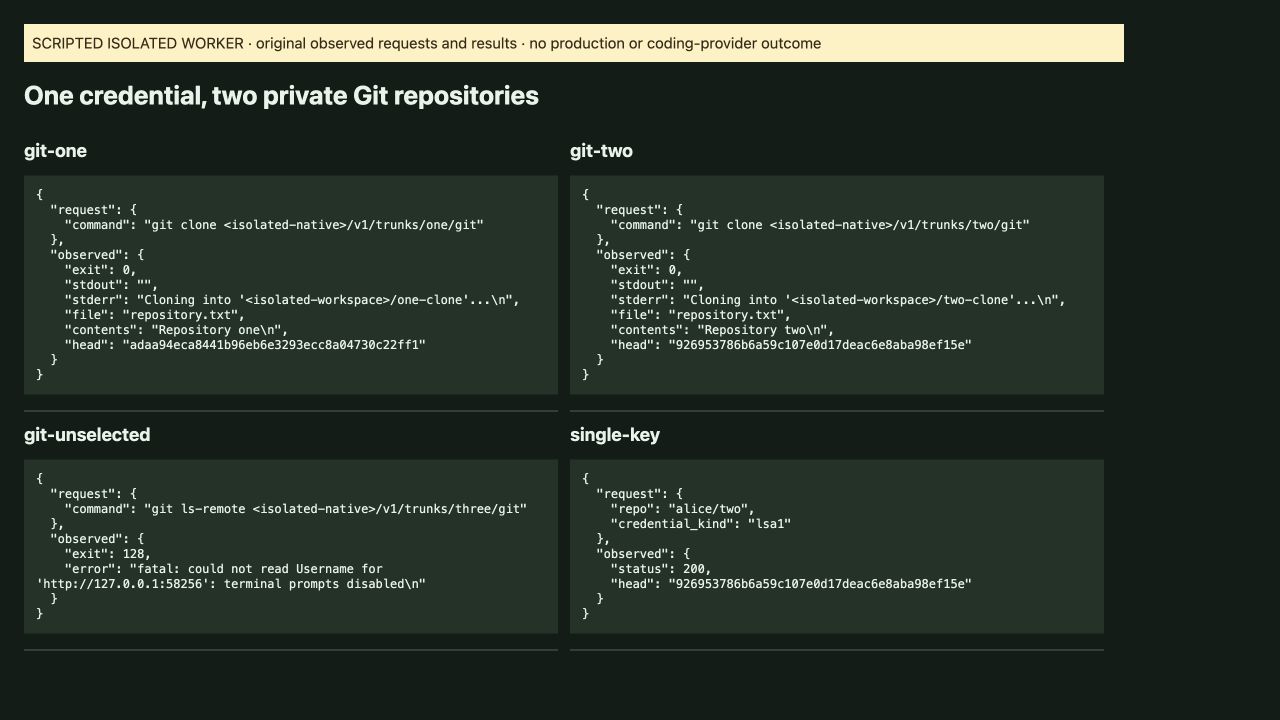
Using the same credential, Git cloned both selected private repositories and read their different repository files; an unselected repository refused access.
The two clone results contain different repository files and heads. The same credential fingerprint was retained with both original command records. The third repository was outside that scope and Git returned exit 128. An individual lsa1 credential also successfully read the repository through Git, as the separate compatibility capture shows.
Choose a repository within one MCP session
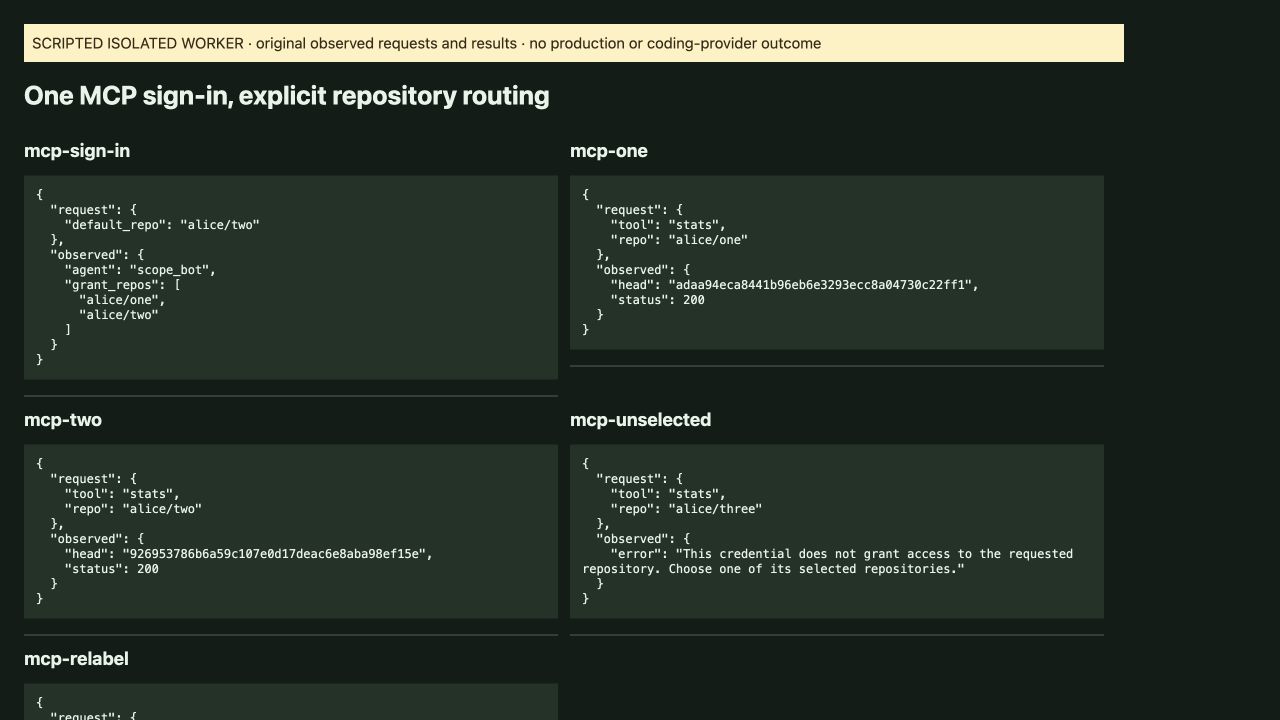
One MCP sign-in routed reads to alice/one and alice/two and returned their distinct heads; requesting alice/three was refused.
The default repository at sign-in was alice/two. Explicit repo arguments selected either granted repository afterward. This demonstration uses the actual hosted MCP session implementation against an isolated native Worker; it does not claim that a coding provider performed a task.
Revoke one repository independently
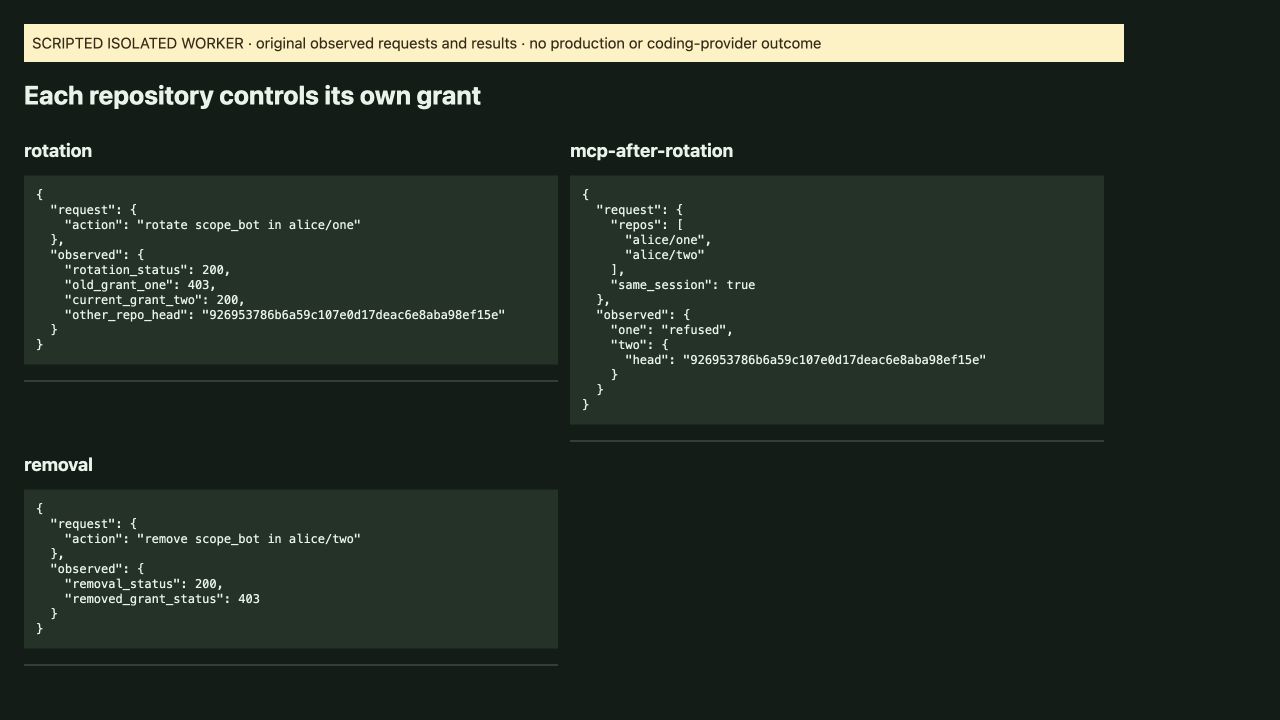
Rotating the grant in alice/one made its old credential fail while alice/two still read successfully in the same MCP session; removing the agent from alice/two then refused that grant.
The repository remains the authority over its grant. Rotation returned 200, the old first grant returned 403, and the second returned 200. The retained MCP session could still read the second repository. Removing that second grant returned 200, followed by a refused read.
See the access you connected
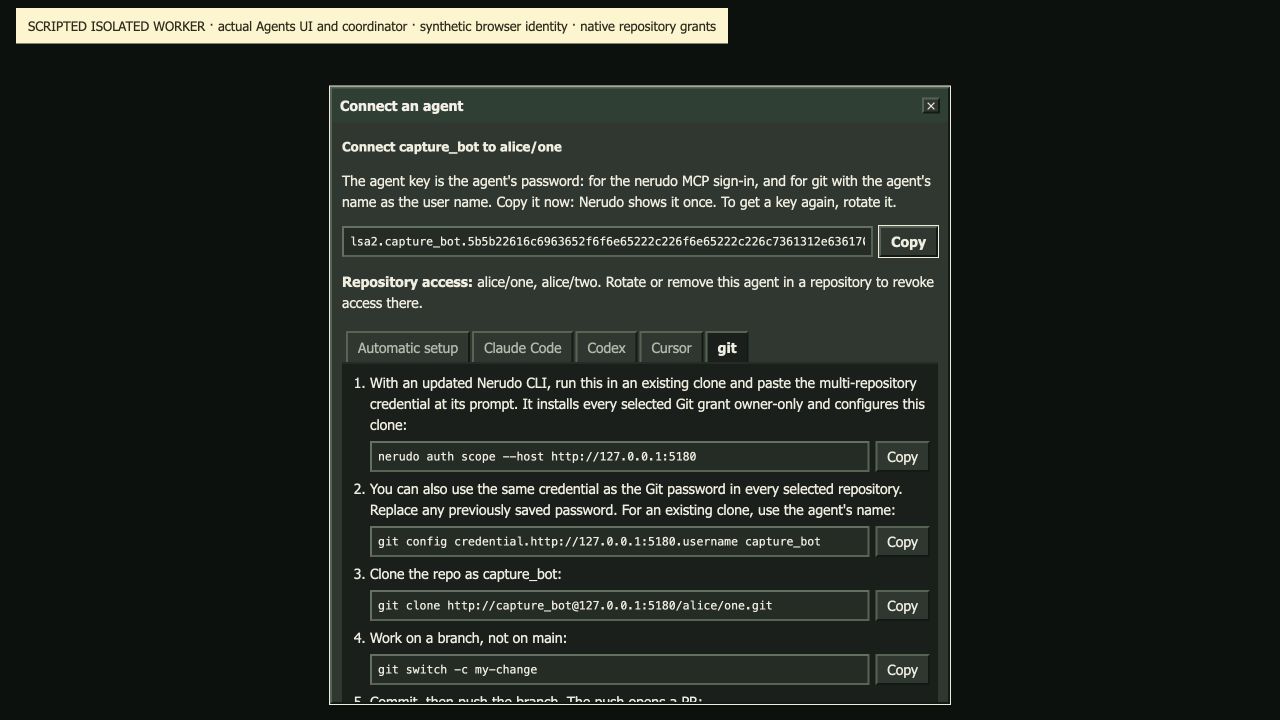
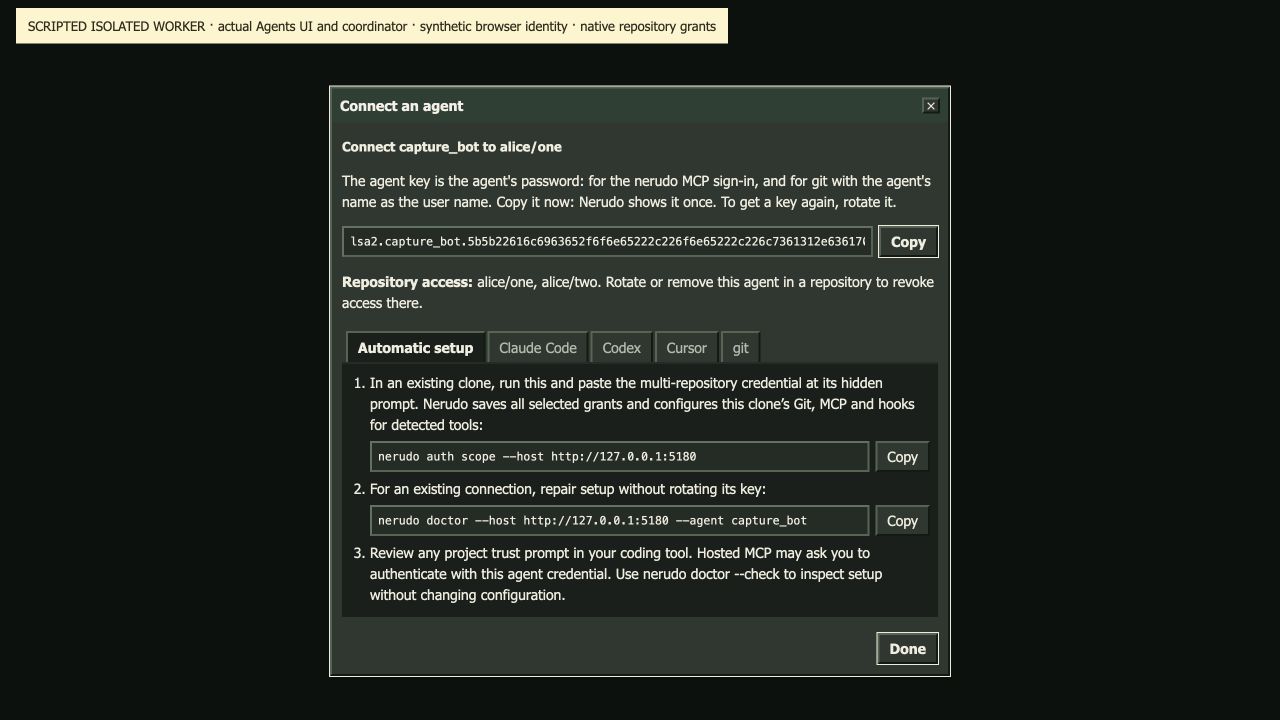
The actual Agents connection result displayed alice/one and alice/two together and provided Git instructions for reusing the multi-repository credential.
The UI portion uses capture_bot; the separate access and revocation run uses scope_bot. Both run through the real web coordinator and native repository grant implementation in the isolated environment. The local gateway URL visible in the figure identifies the capture environment; use your actual HTTPS Nerudo host for terminal setup.
Configure the checkout after connecting
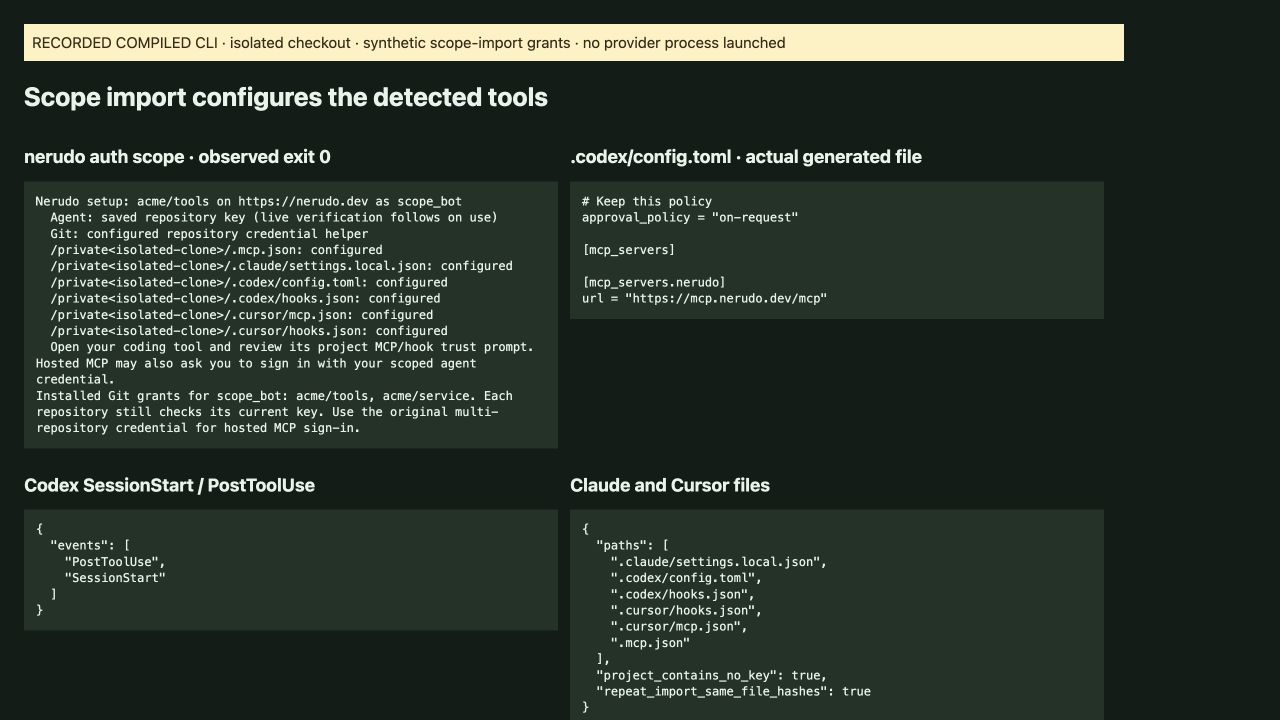
Importing a multi-repository credential configured the repository Git helper plus project MCP and hooks for all three detected tools, preserved the existing Codex approval policy, and made no further file changes on repeat import.
The compiled CLI wrote Claude Code, Codex and Cursor project configuration in the isolated checkout. The original generated files include SessionStart and PostToolUse hooks. The existing on-request policy survived the merge. This capture exercises the import path and configuration results; it does not claim an observed coding-provider execution or a human trust decision.
Repair existing wiring with doctor
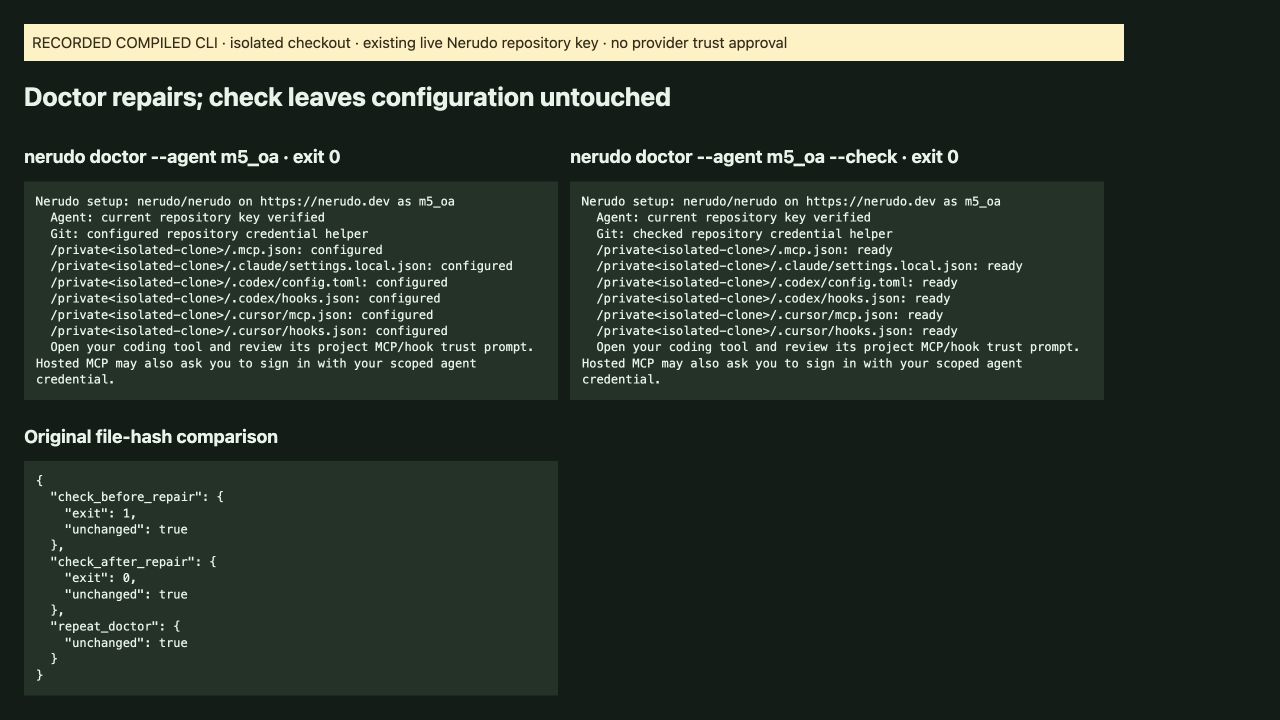
Doctor verified an existing live repository key and repaired the checkout; check mode failed before repair, succeeded afterward, and left configuration hashes unchanged in both checks.
The live authorization read used an already-authorized key in isolated local storage. Doctor repaired Git, MCP and hooks without issuing a new grant. Repeating repair left the same configuration file hashes. For a normal existing connection, run nerudo doctor; use nerudo doctor --check for inspection.
Keep setup within the existing authority
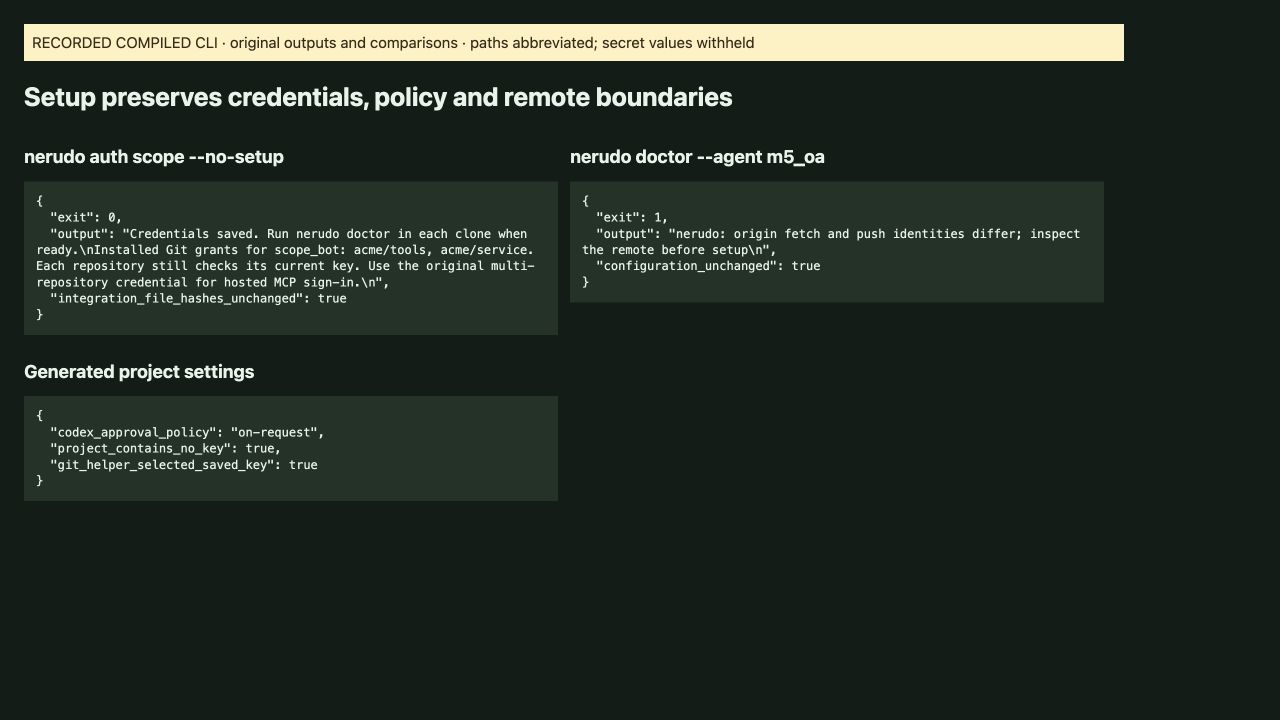
The demonstration preserved the approval policy and kept keys out of project files; mismatched origin wiring and missing local authority returned failure, preserved configuration, and missing authority reported the browser-approved connection command.
Configuration is not new repository authority. Doctor selected the existing saved Git key, and the mismatch stopped before any configuration change. Missing or revoked authority still requires the normal browser-approved connection flow. Setup does not silently rotate keys, add repositories, rewrite remotes or approve tools on the person’s behalf.
Make setup a normal connection step
The connection result led with Automatic setup and doctor recovery, while importing with no-setup saved the selected credentials and left integration file hashes unchanged.
In the matching clone, use nerudo login --agent NAME for browser-approved agent connection or nerudo auth scope to import a selected multi-repository credential. Use --no-setup when provisioning credentials without integration writes. Review the coding tool’s normal project trust prompt; hosted MCP can still require its normal sign-in.
What was captured
The feature combines T-265 at c1ae9ace9022567fe7abe657010423619ee16a94 and T-266 at 1e2030f1fc90eb381eba0b61fd8c804008852485. The capture build is the latter, which includes the former. Both independent requirement contracts remain unchanged. Original media hashes are bound to their requirements and retained with the proof. The figures show the feature actions and generated settings; landing receipts and regression tests are supporting provenance.
Walkthrough details
Controlled isolated web/native/Git/MCP feature actions plus compiled CLI setup in isolated checkouts. URL is the canonical product entry point; original browser capture locations and runtime limits are retained separately in the proof. No production/provider workflow is claimed.
- Connect two explicit private fixture repositories through the actual web coordinator; observe bounded and unauthorized scope refusals.
- Clone both selected repositories with one credential and refuse a third.
- Sign in once through the actual MCP session implementation, route both selected reads and refuse an unselected repository.
- Rotate one fixture grant, continue with the other in the same MCP session, then remove the remaining grant.
- Inspect the actual React scope result and Git setup guidance.
- Import selected grants with the compiled CLI and inspect generated Git/MCP/hooks and preserved approval policy.
- Verify a live existing key with doctor, compare check/repair/check outputs and unchanged file hashes, and refuse mismatched origin wiring.
- Inspect automatic onboarding and no-setup behavior without approving coding-provider execution.
Captured · Product view · Verification source